Submitting a Greenshield claim on Embodia
Submitting claims to GreenShield requires a 'Managing patient invoices' permission on your account. You can check with the clinic manager to see if you have such permission.
From the patient invoice page, on the right-hand side, click on New claim.

When creating a new claim, if you select that the insurance payment is payable to the Provider, you will be asked to select one of your payment methods. We recommend setting up a dedicated payment method for GreenShield Claims.
In the popup form, complete the required information. Once the basic information has been added to the claim page, you can add all the services that are part of this claim.

Click on Add an item, and fill out the popup form with:
- The associated line item from the invoice;
- The procedure associated with the service;
- The amount you charged for the service;
- The amount paid by alternate carrier (if applicable);
- The duration of the consult in minutes.
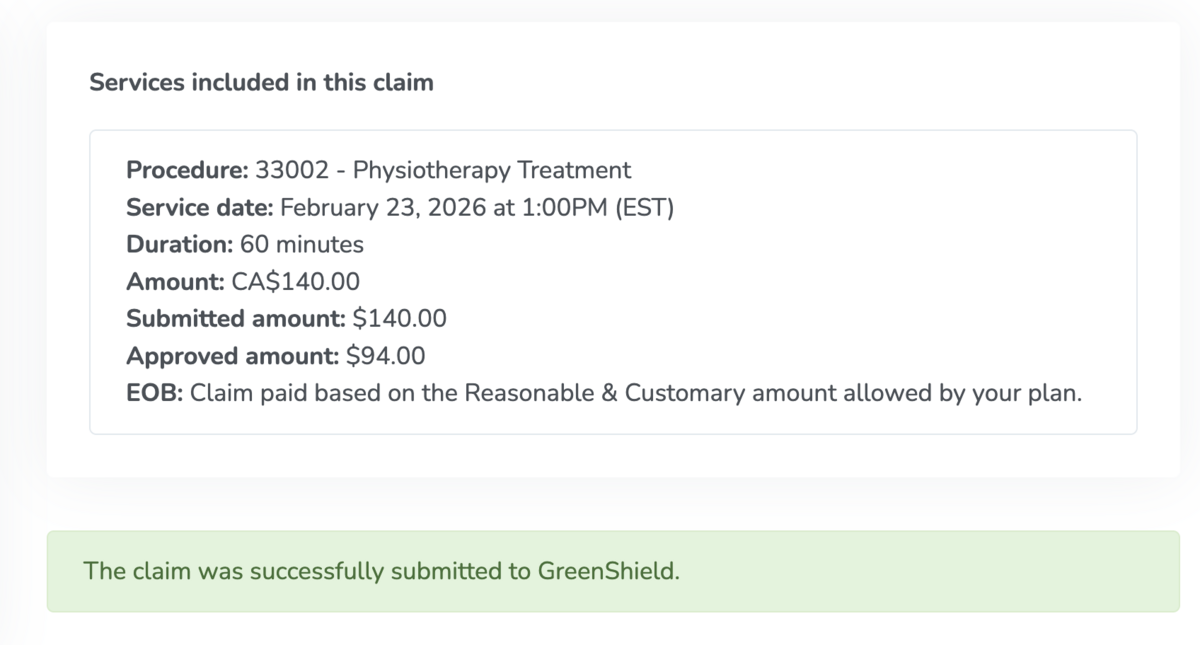
Once all the items have been added and you are ready to submit the claim to GreenShield, check that you agree that the information you provided is complete and accurate to the best of your knowledge, and click Submit to GreenShield.

This will submit the claim to GreenShield, and within a few seconds, the insurer's response will be displayed.